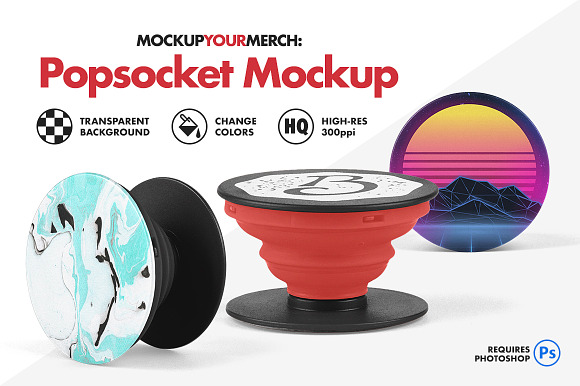
Use this realistic mockup for Photoshop to easily preview your custom art on a popsocket. This popsocket mockup can help you showcase your designs for client projects, online store images, social media posts, and so much more.
As a freelance graphic designer who designs merch all day, I know how important it is to realistically mockup your designs for clients and customers. I don't have time to mess with smart object or displacement maps, so I built this popsocket mockup to be as easy-to-use as possible. The faster and more realistic I can get my designs to look for the client, the more designs I can get approved!
FEATURES
- 1 Photoshop file with 3 Popsocket views (front, side, and upright)
- High-resolution 2500 x 2500px at 300ppi
- Easily change the color of the top, middle, and base of the popsocket
- Transparent background (including the shadow, which can also be removed if desired)
- Simply drag and drop your art, then transform it to fit the Popsocket. No messy smart objects or displacement maps!
HOW TO ADD YOUR ART
- Drag and drop your art into the "Art" layer folder
- Transform/Distort your art "CMD (ctrl) + T" and fit it to the popsocket view of your choice
If you have any questions about this product, send me a message and I'll respond as soon as possible.